✦ Free Extension
Take back your
chat experience.
Silence disruptive users in Rumble live chat with a single click. Permanent or timed — your rules.
Works on Chrome & Edge · No account required · 100% free
Screenshots load here — add store-screenshot-1.png and store-screenshot-2.png to this folder
What it does
Everything you need,
nothing you don't.
nothing you don't.
One-click muting
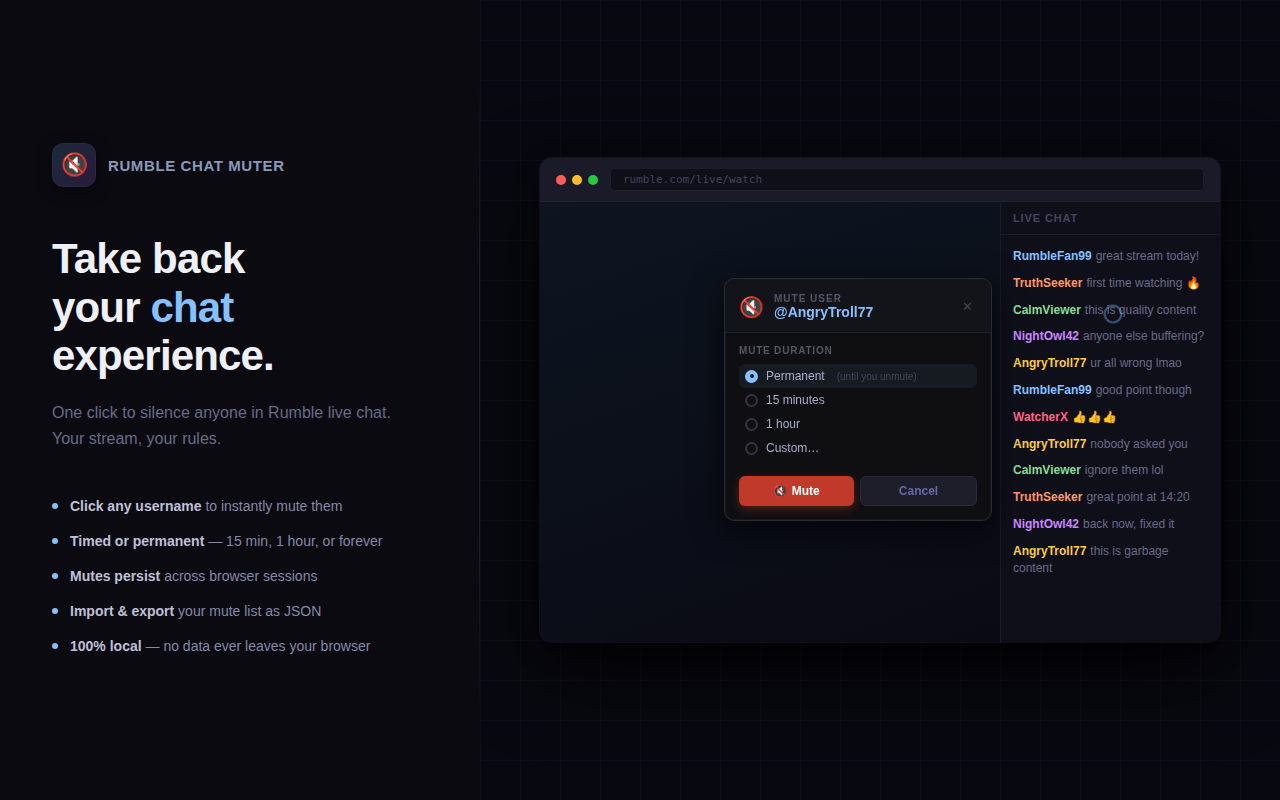
Click any username in Rumble chat. A clean popup appears instantly — no menus to dig through.
Timed or permanent
Mute for 15 minutes, an hour, or forever. Timed mutes expire automatically — no manual cleanup.
Persists across sessions
Close Chrome, reopen it, your mute list is exactly where you left it.
Manage your list
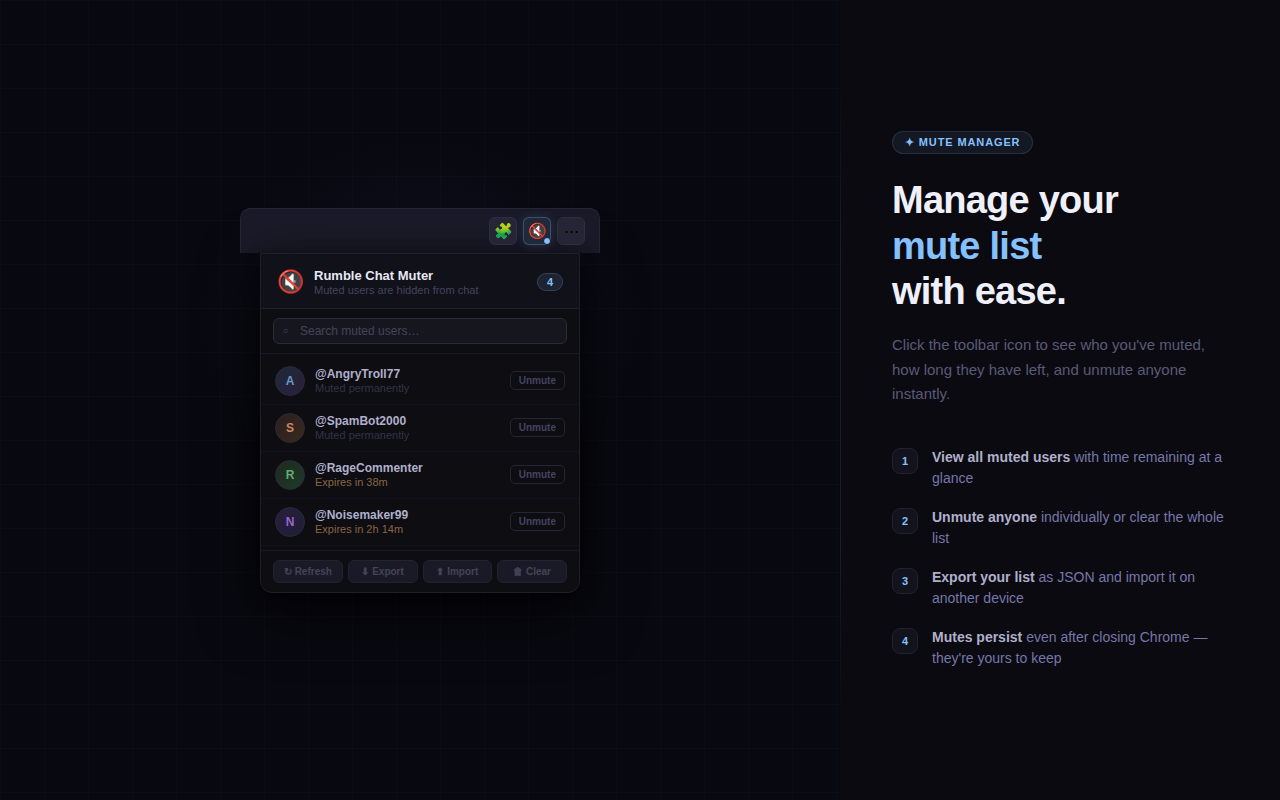
Click the toolbar icon to view all muted users, search them, and unmute individuals or everyone at once.
Import & Export
Export your mute list as a JSON file. Import it on another machine. Share it with a friend watching the same streams.
100% private
All data stays on your device. No servers, no tracking, no accounts. Nothing ever leaves your browser.
How it works
Up and running in seconds.
01
Install the extension
Add it from the Chrome Web Store or Edge Add-ons. No sign-up, no permissions beyond what's needed.
02
Open any Rumble stream
Navigate to any live stream with chat open. The extension activates automatically.
03
Click a username
Tap any username in the chat. Choose how long to mute them and hit Mute. Done.
04
Enjoy the chat
Their messages disappear immediately. New messages from them are hidden automatically as they come in.
Your data goes nowhere.
We built this because we wanted it ourselves. There are no servers, no analytics, no accounts, and no business model built around your data. The extension is a simple local utility.
- Mute list stored locally using Chrome's built-in storage only
- No data transmitted to any external server — ever
- No analytics, telemetry, or crash reporting
- No third-party libraries or tracking scripts
- Only runs on rumble.com — nowhere else